Bigiot
Bigiot is an IoT cloud platform that makes it more convenient for you to communicate with smart devices. Through the Internet, you can chat with your smart devices, send commands, and view real-time data in the form of dialogue, remote control, etc., set alarm conditions according to actual needs, and notify users through APP, email, SMS, Weibo, WeChat, etc.
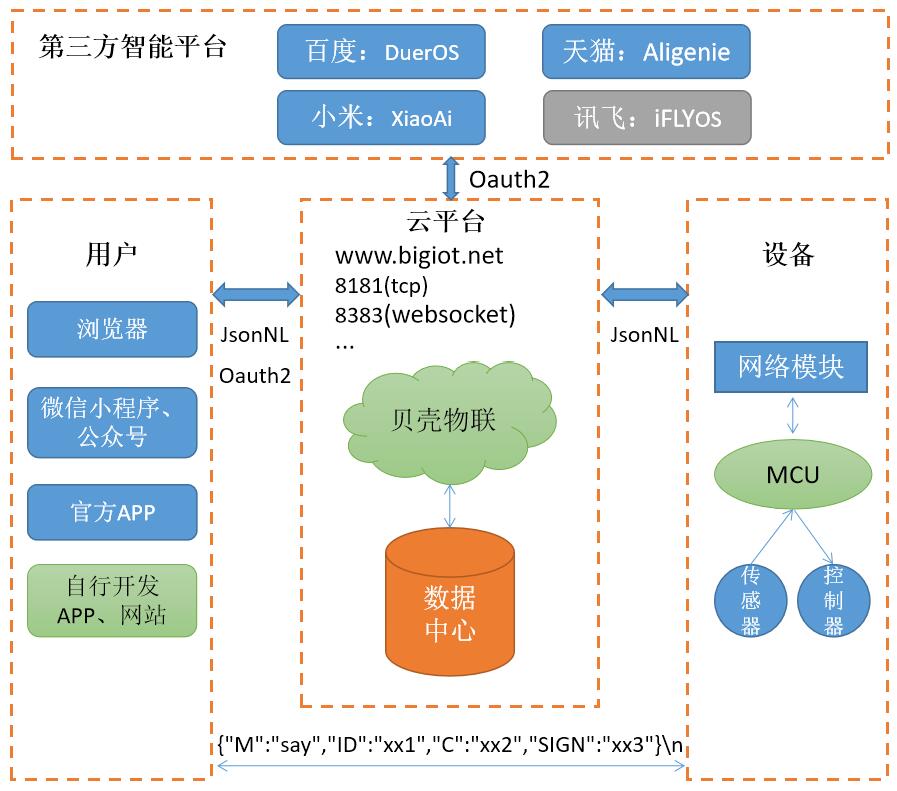
Bigiot architecture
Bigiot platform communication protocol: https://www.bigiot.net/help/1.html
Connecting the mPython Board to Bigiot
Preparation
Before use, you need to first register an account at Bigiot https://www.bigiot.net and add a smart device.
In the program, you need to use the bigiot mPython library, which you can get from https://github.com/labplus-cn/awesome-mpython/tree/master/library. Upload bigiot.py to the file system.
Device Communication
 1from mpython import *
 2import bigiot
 3
 4my_wifi = wifi()
 5my_wifi.connectWiFi("youruser", "yourpassword")
 6
 7ID = ""                             # Device ID
 8API_KEY = ""                        # Device API KEY
 9
10
11
12def say_cb(msg):                    # Callback function
13    print(msg)
14    oled.DispChar("%s,%s" %(msg[0],msg[1]),0,10)    # Display on OLED
15    oled.show()
16    oled.fill(0)
17
18
19device = bigiot.Device(ID, API_KEY)         # Create BigIoT device
20
21device.say_callback(say_cb)                 # Set callback function for say communication
22
23device.check_in()                           # Login
Before connecting to the Bigiot platform, you need to make sure the mPython Board is connected to the Internet. When instantiating the device Device(id,api_key), the smart device information of Bigiot is used, ID and API KEY.
Set the say communication callback function say_callback(f). f(msg,id,name) callback function, the msg parameter is the received message, the id parameter is the sending device ID, and the name parameter is the device name.
check_in() is the device online function; you can see the device’s connection status on the Bigiot platform.
The above example sets the callback function and prints out the data received by the say communication.
Client Sending Messages to the mPython Board
Bigiot supports communication between multiple clients and devices, such as browsers, WeChat mini programs and official accounts, and APP (Android).
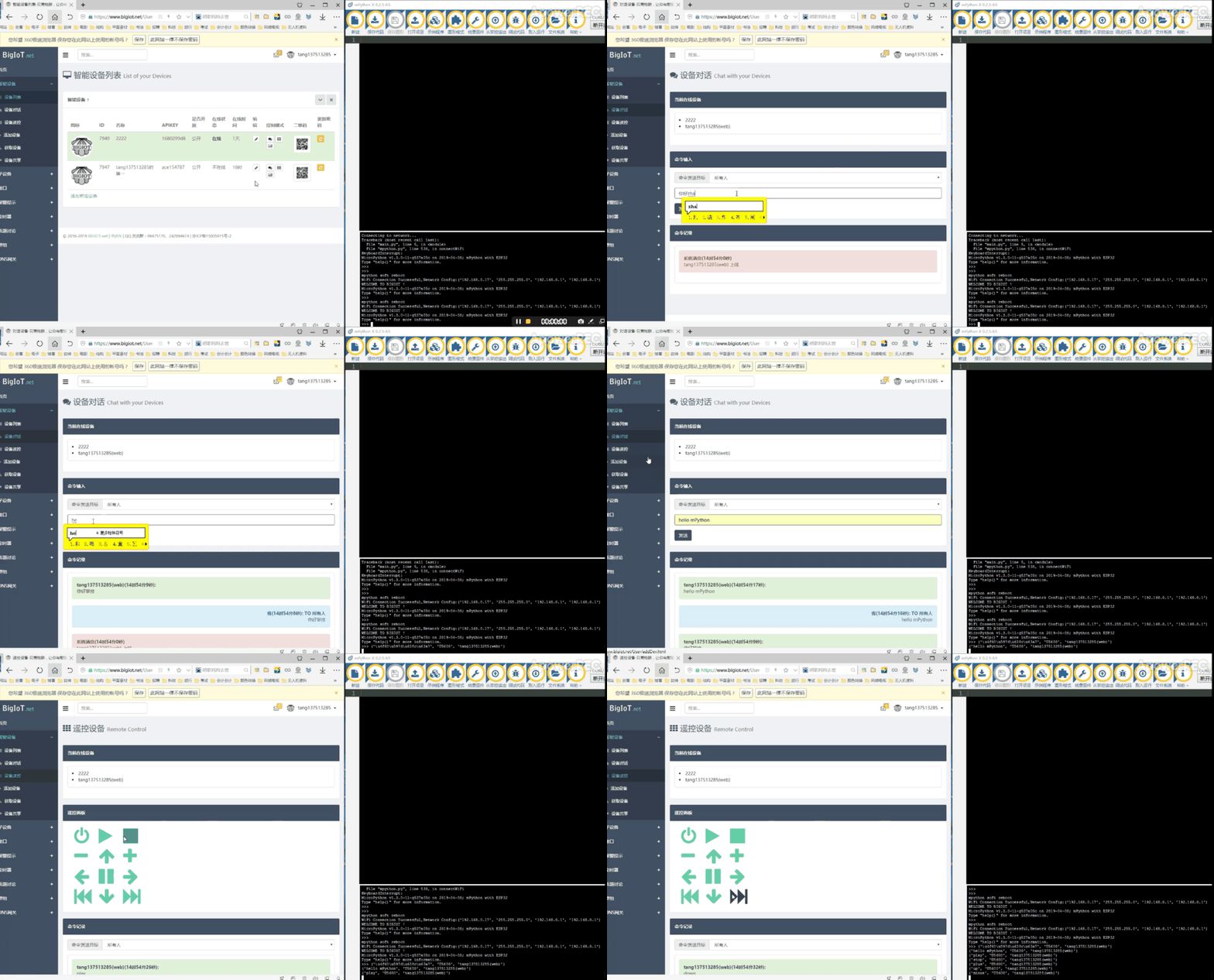
Browser side
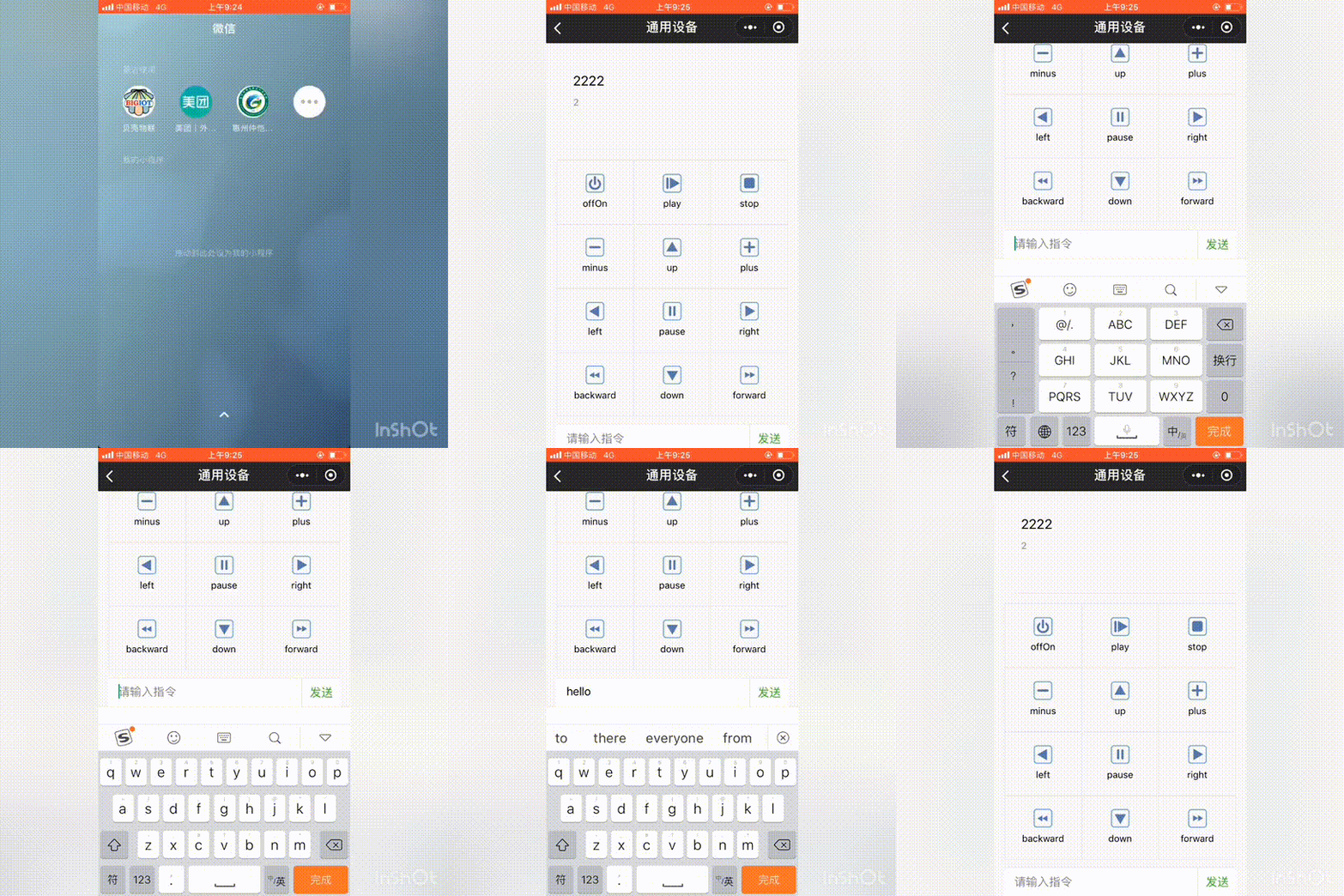
WeChat mini program
mPython Board Sending to the Device or Client
Device
You can add multiple smart devices on the Bigiot platform at the same time. As long as the smart device is online and you know the device’s ID, you can send messages to the smart device.
Send a message to the device with ID: 7947:
>>> device.say(device_id = 7947, msg = 'hello I am mPython')
Client
To send a message to a web client or WeChat or other clients, you can view your user ID in the platform’s “Personal Information”:
>>> device.say(user_id = 5600, msg = 'hello I am mPython')
Group
You can also set up multiple smart devices into a group on the platform and send messages to the group. This way, all members of the group can receive the message, similar to the IP multicast function:
>>> device.say(group_id = 145, msg = 'hello I am mPython')
say(user_id, group_id, device_id, msg) This function is used for the dialogue of a device or client. The user_id, group_id, and device_id parameters are the user ID, group ID, and device ID respectively. Choose the parameter to use according to the dialogue object.
msg is the dialogue message, of type string.
Sending Data to the Interface
Send the mPython Board’s light data to the interface:9564:
while True:
    val=light.read()
    device.update(9564,str(val))
    sleep(1)
Bigiot provides an interface for collecting real-time sensor data and will draw charts. update(id, data) is the data upload function. id is the interface ID, and the data parameter is the uploaded sensor data. Note that this type is a string. If it is an int, it needs to be converted to str.
Also, data should not be sent too quickly; there should be at least an interval of more than 1 second.
Voice Assistant
Bigiot can also connect to Tmall Genie and Baidu Voice Assistant, with Bigiot devices acting as clients. They receive voice commands sent from the server, realizing the application of voice control of smart home.
Method for Tmall Genie to Bind and Control Bigiot Devices
For the Tmall Genie binding method, refer to the tutorial: https://www.bigiot.net/talk/359.html