I2C
I²C (Inter-Integrated Circuit) literally means between integrated circuits; it is actually an abbreviation for the I²C Bus. The I2C bus type is a simple, bidirectional, two-wire, synchronous serial bus designed by Philips Semiconductor in the early 1980s, mainly used to connect integrated circuits (ICS).
The I2C protocol is a way for multiple devices to communicate with each other using only two wires (clock and data lines). Any device can be a master device that controls the I2C clock and data lines to communicate with other devices. Each I2C device is assigned a unique address, used to identify it during read and write operations. When a device sees its address sent on the I2C bus, it responds to the request; when it sees a different address, it ignores it. Using unique addresses, many devices can share the same I2C bus without interference.
When using the mPython Board, you can use the I2C class function to interact with devices on the I2C bus. In most cases, you will act as the I2C “master” and can read and write data with other I2C devices. You can also act as an I2C “slave” or peripheral; they are assigned an address and can listen for and respond to requests from other I2C devices.
Master
The operation methods of most I2C communication modules are similar. The mPython Board acts as the I2C master, and the module acts as the slave device, responding to the master’s requests. The following uses the SHT20 module as a demonstration of how to read slave device data.
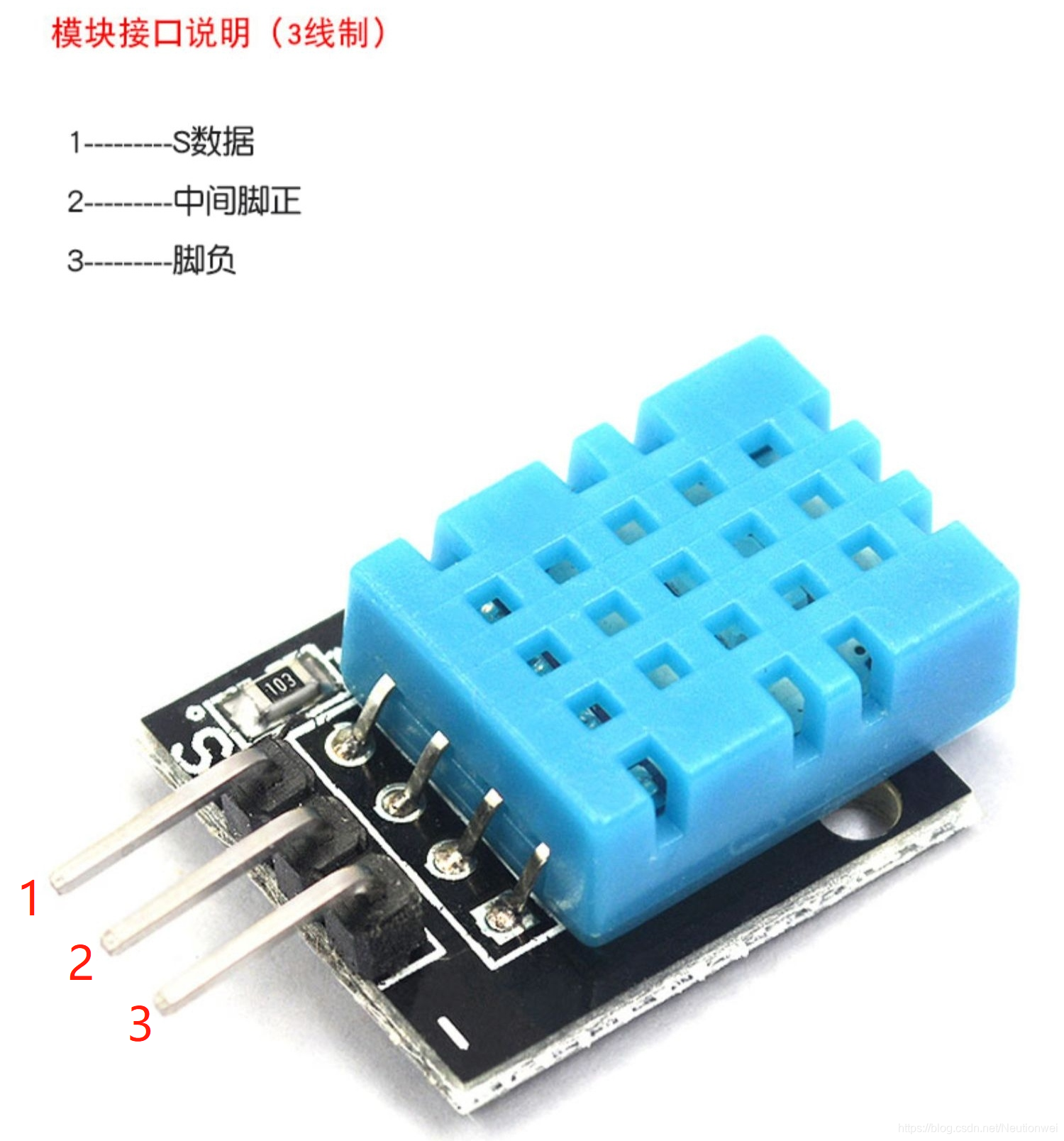
Read the SHT20 temperature function:
def sht20_temperature():
    i2c.writeto(0x40,b'\xf3')
    sleep_ms(70)
    t=i2c.readfrom(0x40, 2)
    return -46.86+175.72*(t[0]*256+t[1])/65535
i2c.writeto(addr, buf) is the I2C write operation function; it sends the buf buffer bytes to the I2C device at addr. The mPython Board needs to send the 0xf3 byte to the SHT20, telling it that it needs to read temperature data. After a delay of 70 milliseconds,
it then reads 2 bytes of data from the SHT20. The read operation uses i2c.readfrom(addr, nbytes), where nbytes is the number of bytes to read.
After reading the 2 bytes of data, data processing is also needed to convert the temperature unit according to the SHT20 manual. The conversion formula is shown below.
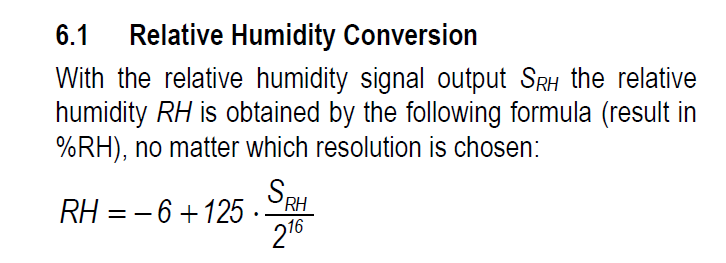
SHT20 temperature conversion formula
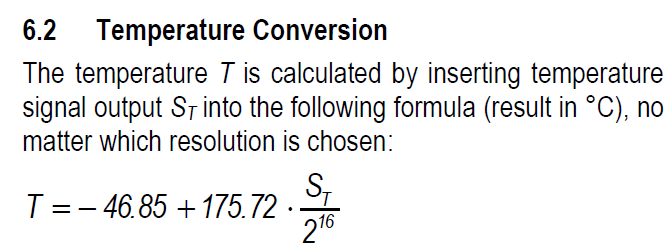
SHT20 humidity conversion formula
The way to read humidity is similar. First send the “0xf5” byte, telling the SHT20 that you want to read humidity data, and finally convert the humidity unit according to the formula:
def sht20_humidity():
    i2c.writeto(0x40,b'\xf5')
    sleep_ms(25)
    t=i2c.readfrom(0x40, 2)
    return -6+125*(t[0]*256+t[1])/65535
Hint
For more I2C operation methods, please refer to the I2C class chapter.
Complete SHT20 example:
 1from mpython import *                   # Import all mpython objects
 2
 3def sht20_temperature():
 4    """Get the temperature value of the SHT20 module
 5    Returns: temperature
 6    """
 7    i2c.writeto(0x40,b'\xf3')                       # Write the byte "0xf3" to the address 0x40, i.e. the SHT20
 8    sleep_ms(70)                                    # The SHT20 measurement takes time, so we must wait
 9    t=i2c.readfrom(0x40, 2)                         # Read 2 bytes of data from the address 0x40, i.e. the SHT20
10    return -46.86+175.72*(t[0]*256+t[1])/65535      # Convert the read data to temperature T=-46.86+175.72*St/2^16
11
12def sht20_humidity():
13    """Get the humidity value of the SHT20 module
14    Returns: humidity
15    """
16    i2c.writeto(0x40,b'\xf5')                       # Write the byte "0xf5" to the address 0x40, i.e. the SHT20
17    sleep_ms(25)                                    # The SHT20 measurement takes time, so we must wait
18    t=i2c.readfrom(0x40, 2)                         # Read 2 bytes of data from the address 0x40, i.e. the SHT20
19    return -6+125*(t[0]*256+t[1])/65535             # Convert the read data to humidity RH=-6+125*Srh/2^16
20
21while True:
22    temper=sht20_temperature()
23    humid=sht20_humidity()
24    print("sht20 temperature: %0.1fC sht20 humidity: %0.1f%%" %(temper,humid))
25    print("Temp:%0.1f C, Humidity:%d%%" %(temper,humid))
26    sleep(1)