Firmware Update
Firmware Flashing
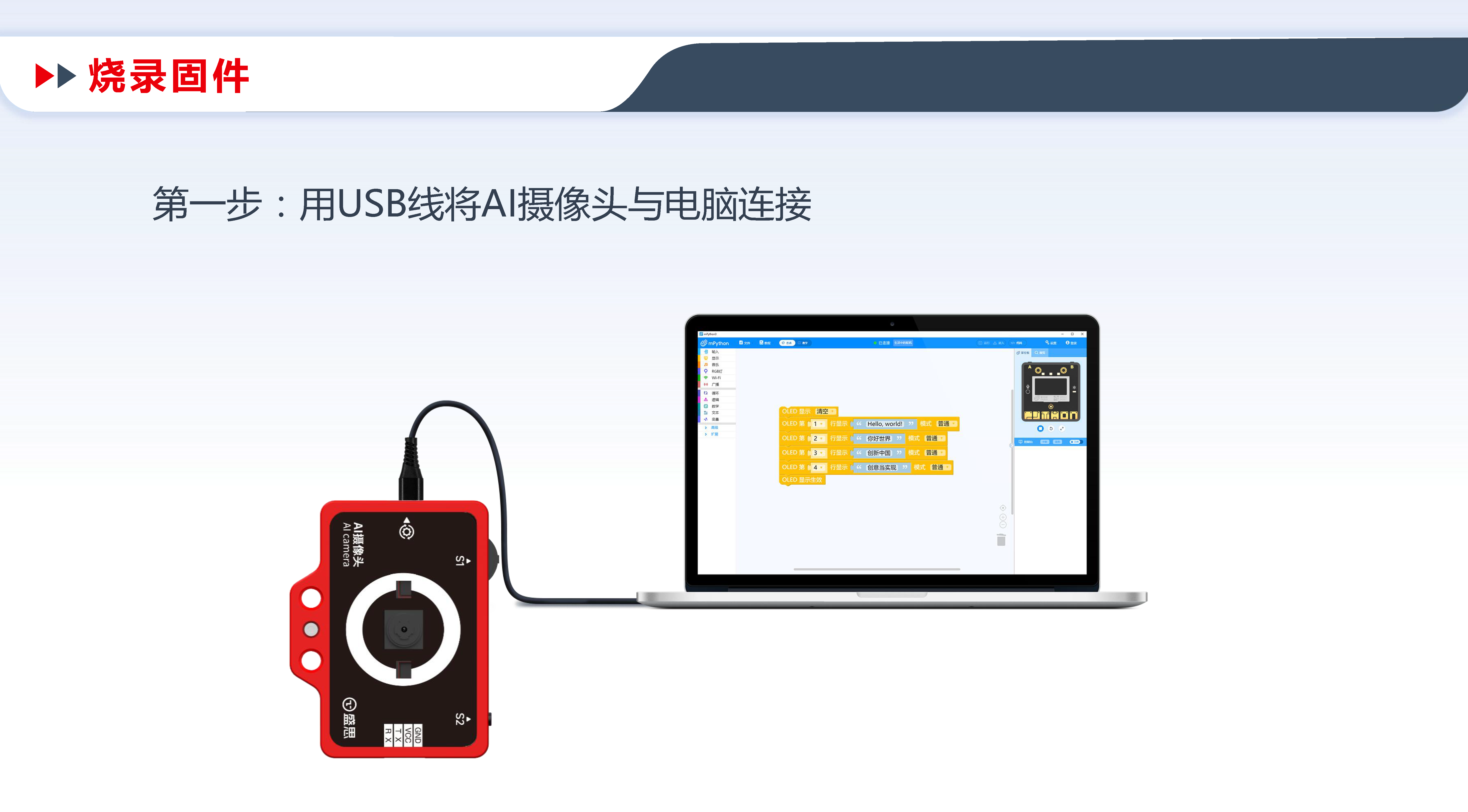
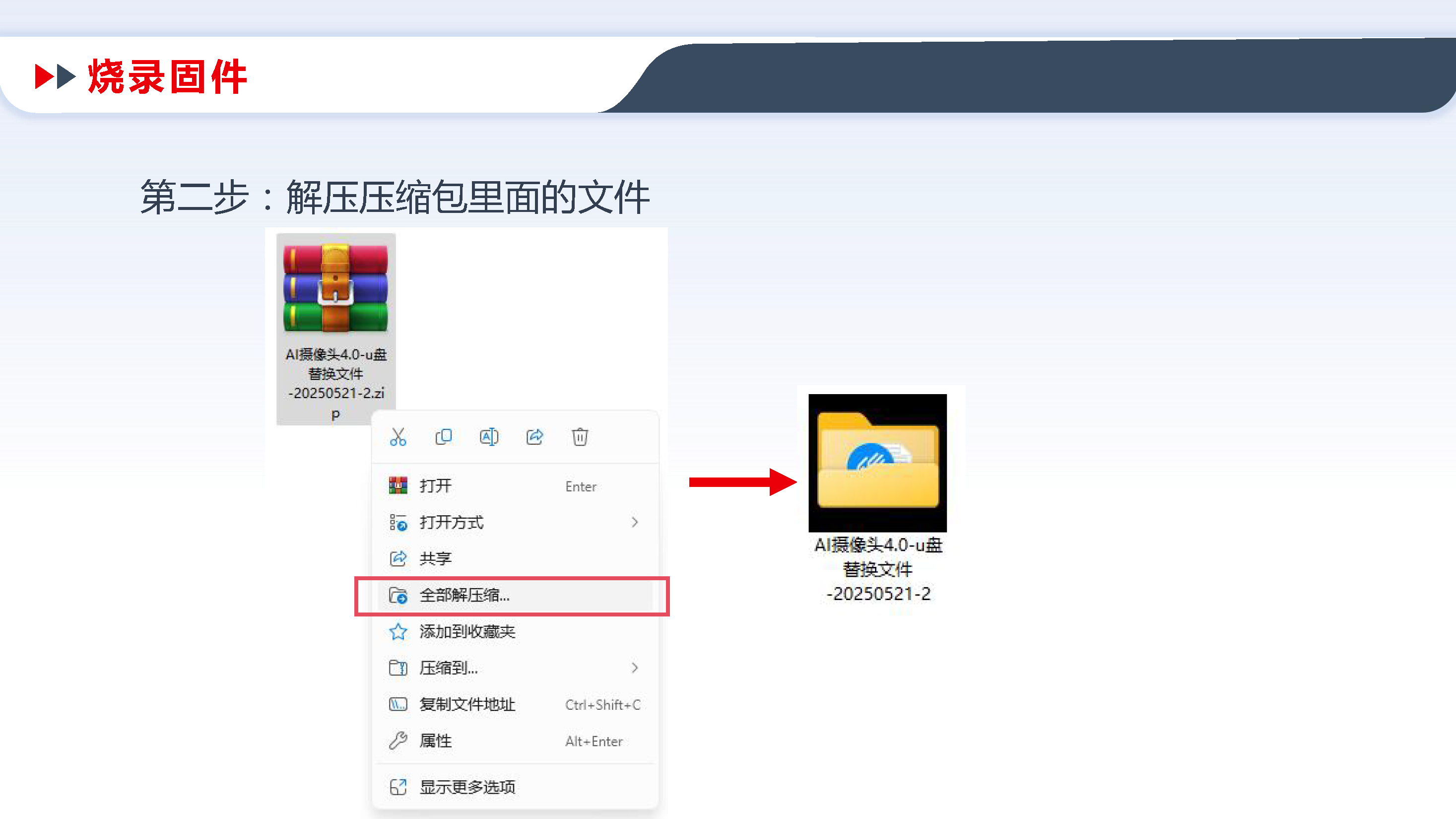
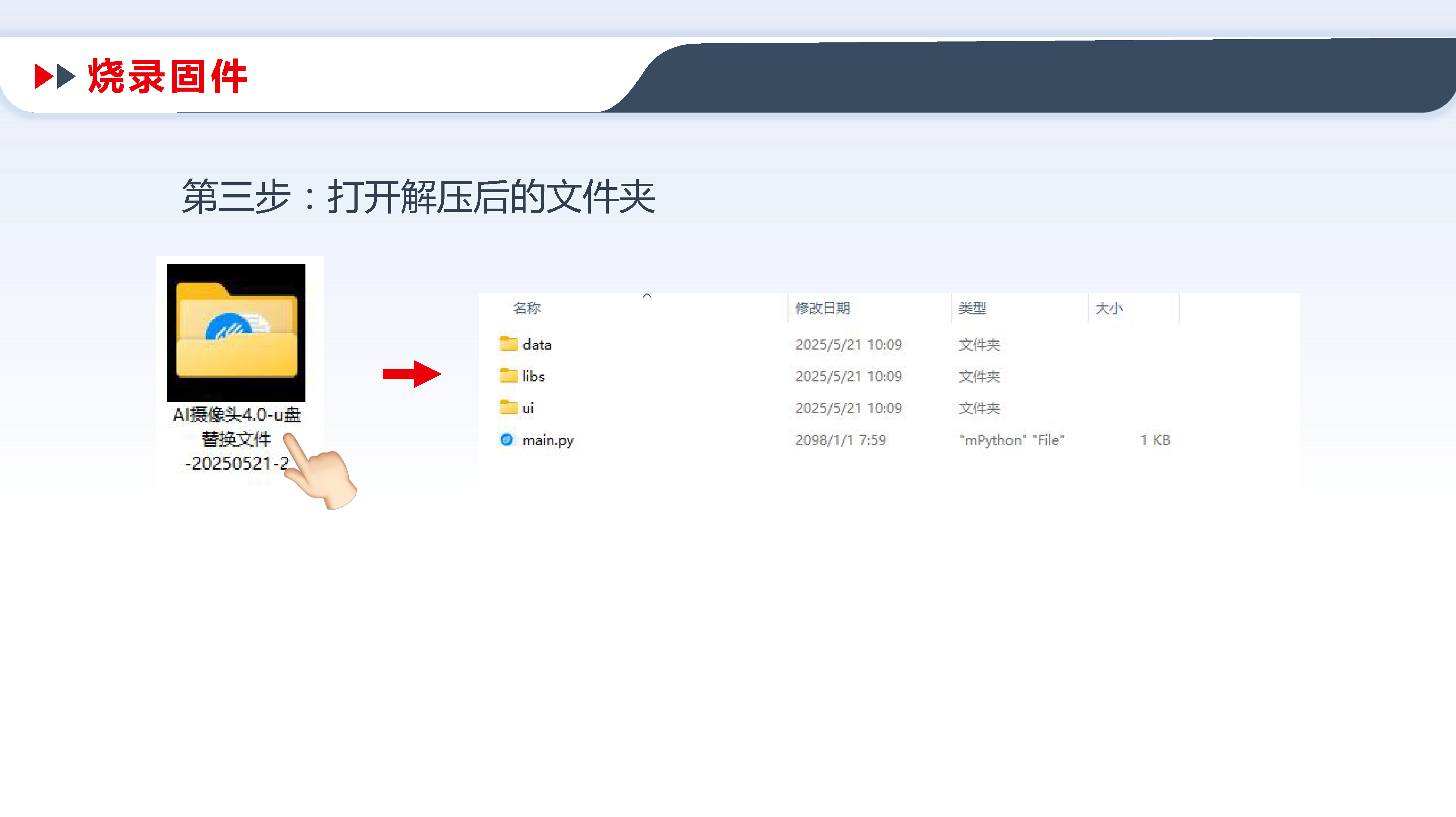
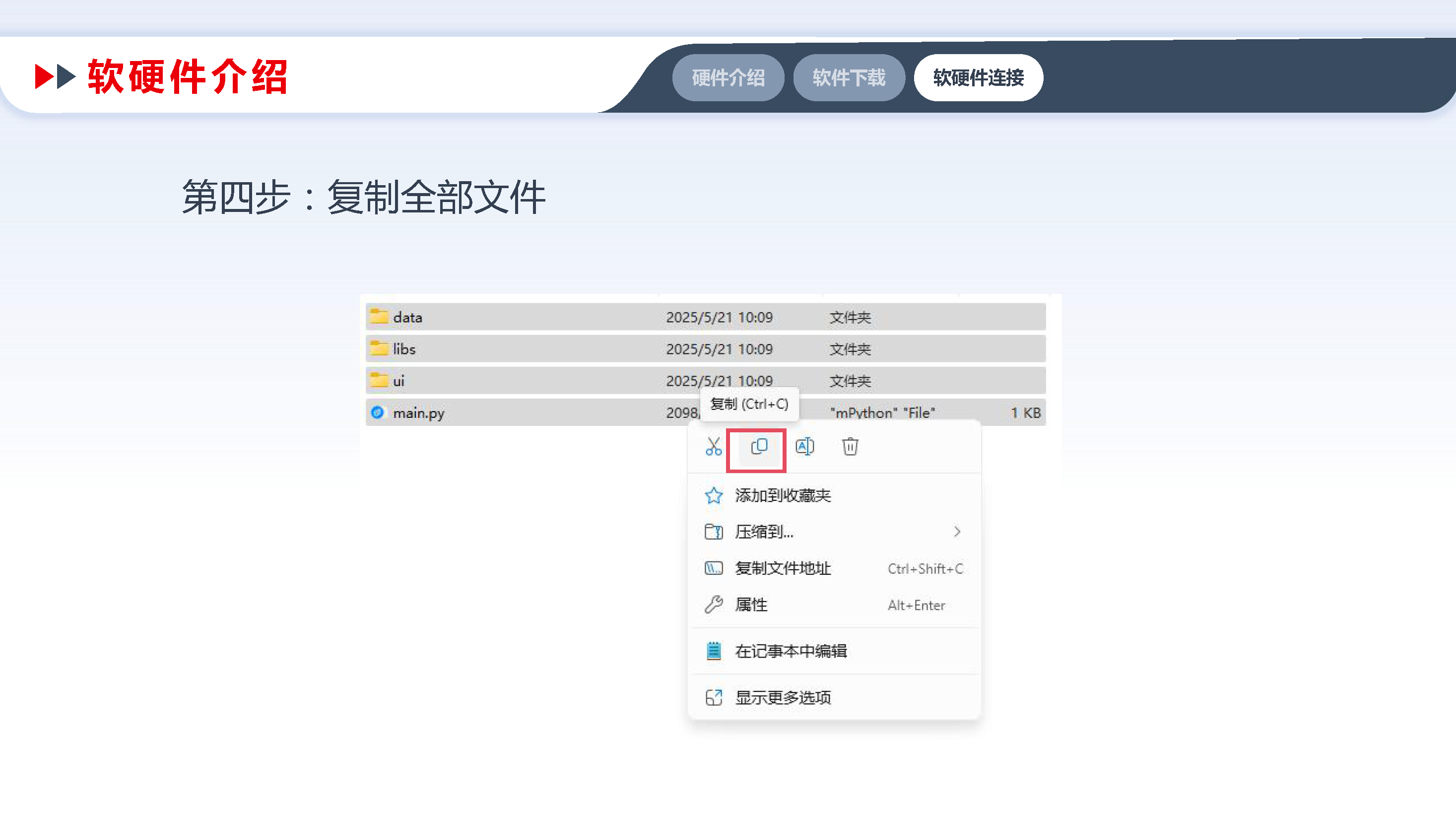
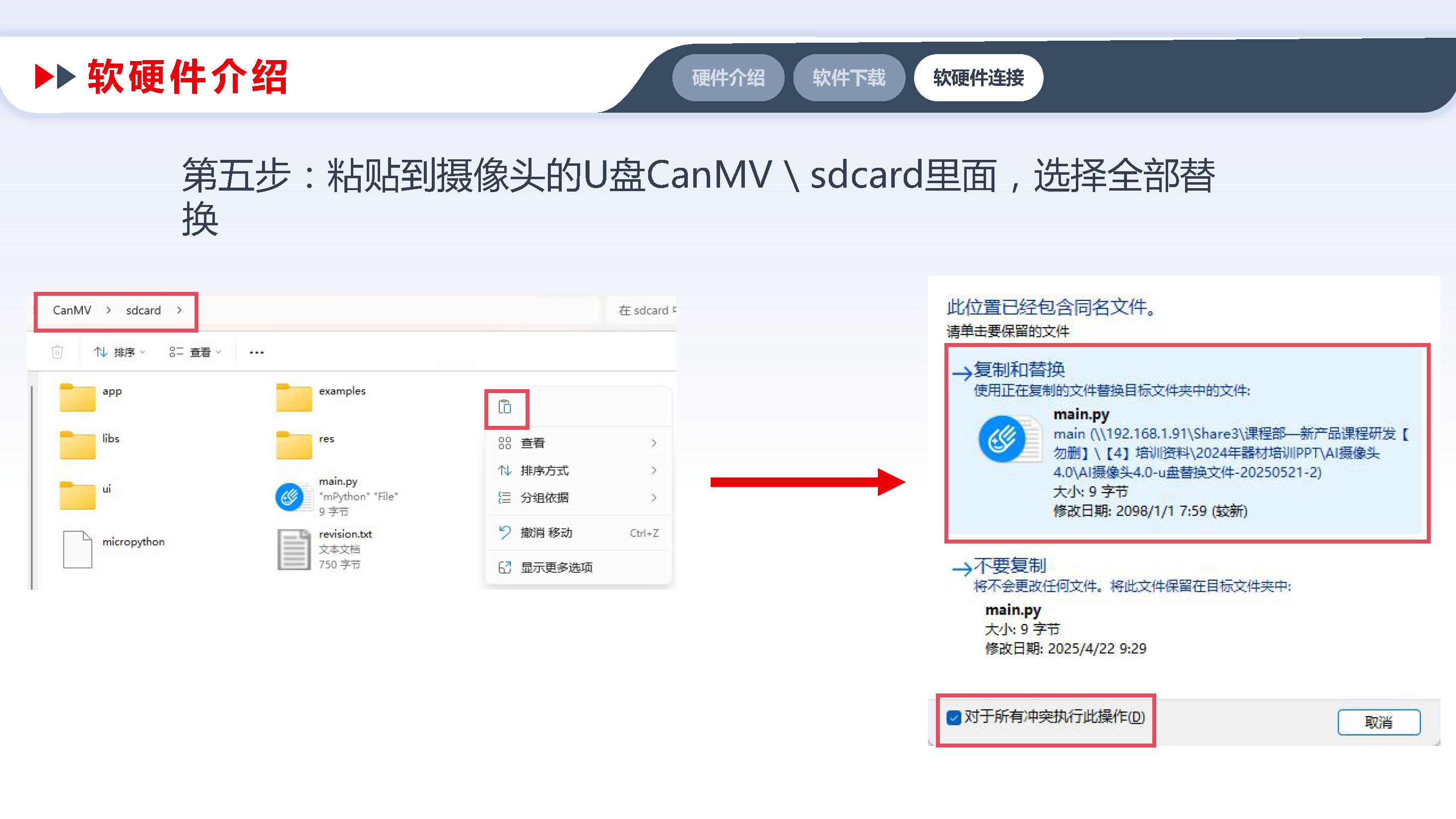
Method 1: Connect the camera to the computer with a Type-C USB cable, open the flashing software, and copy the AI Camera 4.0 system files to /CanMV/sdcard to overwrite and replace them.
Firmware System Files
Attention
After updating the AI Camera 4.0 firmware, if it is used with mPython Core 2.0, also update the firmware once in mPython.
Steps