13. Human Skeleton Keypoint Recognition
13.1. Python Example
#mPythonType:0
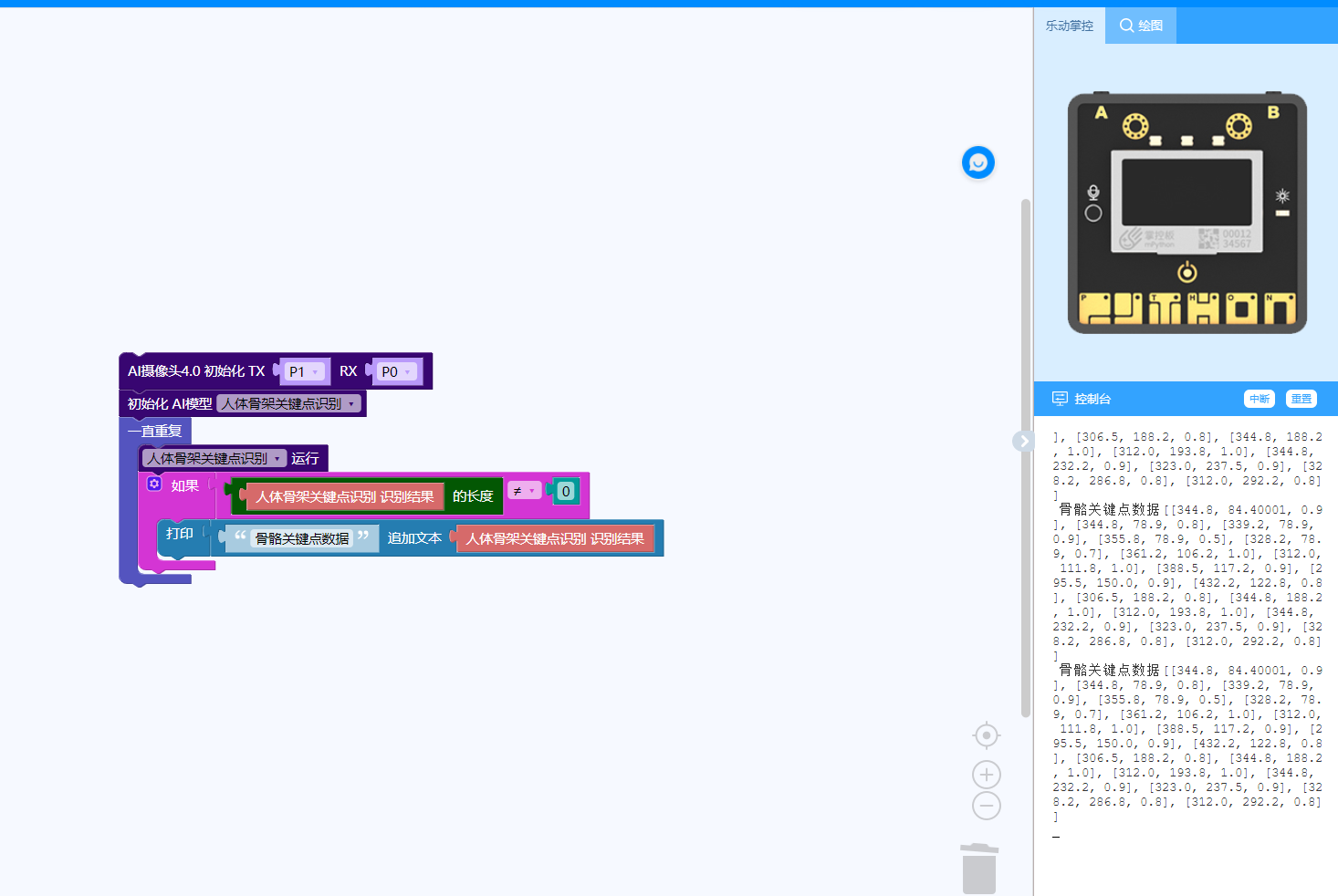
from mpython import *

import smartcamera_k230 as smartcamera

smart_camera = smartcamera.SmartCameraK230(tx=Pin.P1, rx=Pin.P0)

smart_camera.model_init(10)
while True:
    smart_camera.person_keypoint_detect.recognize()
    if len(smart_camera.person_keypoint_detect.keypoints) != 0:
        print(str('Skeleton keypoint data: ') + str(smart_camera.person_keypoint_detect.keypoints))
13.2. mPython Graphical Example
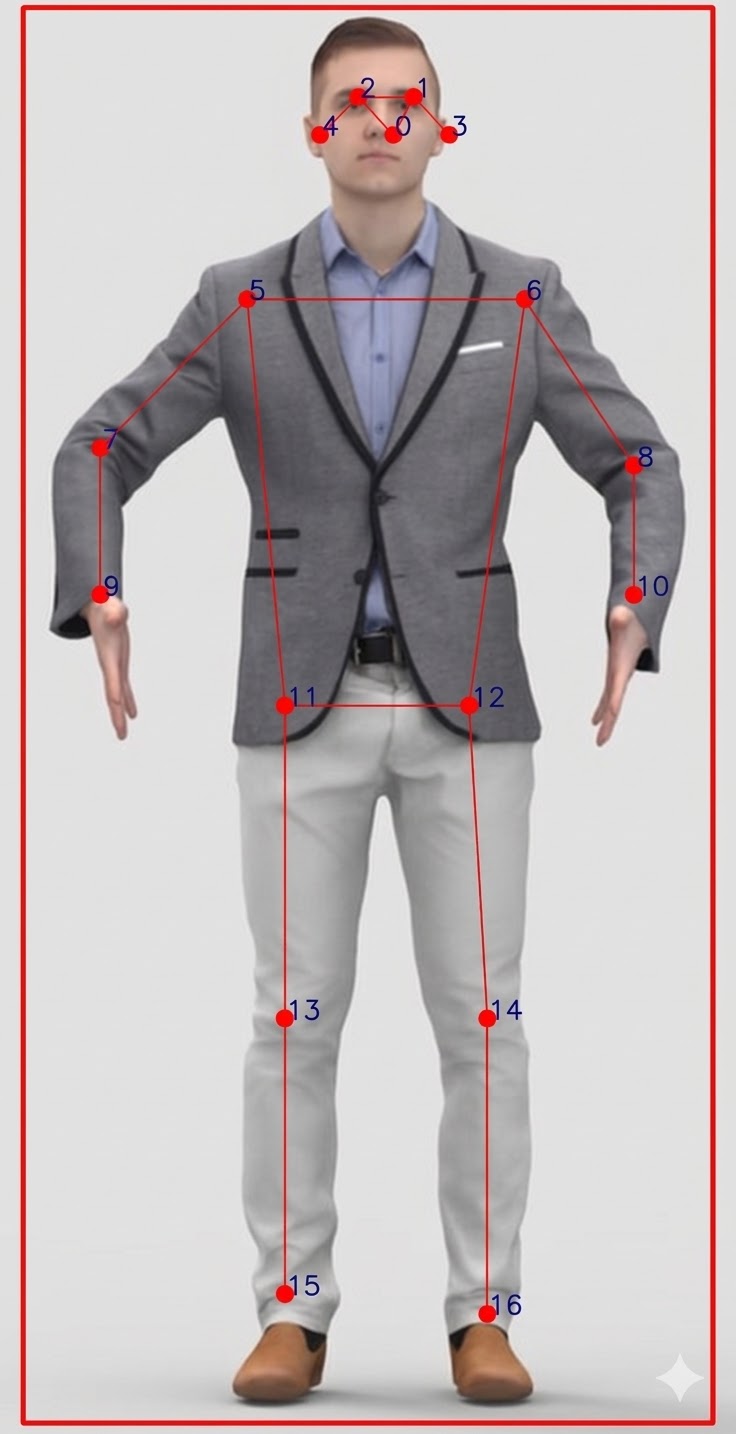
13.3. Human Keypoint Position Diagram
13.4. Keypoint Data Format
13.4.1. The 17 skeleton keypoint data are arranged in the following order:
Nose
Left eye
Right eye
Left ear
Right ear
Left shoulder
Right shoulder
Left elbow
Right elbow
Left wrist
Right wrist
Left hip
Right hip
Left knee
Right knee
Left ankle
Right ankle
13.4.2. Example Data
[[344.8, 84.40001, 0.9], [344.8, 78.9, 0.8], [339.2, 78.9, 0.9], [355.8, 78.9, 0.5], [328.2, 78.9, 0.7], [361.2, 106.2, 1.0], [312.0, 111.8, 1.0], [388.5, 117.2, 0.9], [295.5, 150.0, 0.9], [432.2, 122.8, 0.8], [306.5, 188.2, 0.8], [344.8, 188.2, 1.0], [312.0, 193.8, 1.0], [344.8, 232.2, 0.9], [323.0, 237.5, 0.9], [328.2, 286.8, 0.8], [312.0, 292.2, 0.8]]
Each skeleton keypoint datum contains three elements: the x coordinate, the y coordinate, and the confidence. The confidence indicates how accurately the model predicts the keypoint position; its value usually ranges from 0 to 1, and a larger value means a more accurate prediction.