Usage Tutorial
1.1 Wi-Fi Provisioning
Wi-Fi provisioning: Refers to using the development board’s Wi-Fi hotspot function to tell the board which Wi-Fi network to connect to in the future.
The provisioning mode appears after the first firmware flash, as shown below:
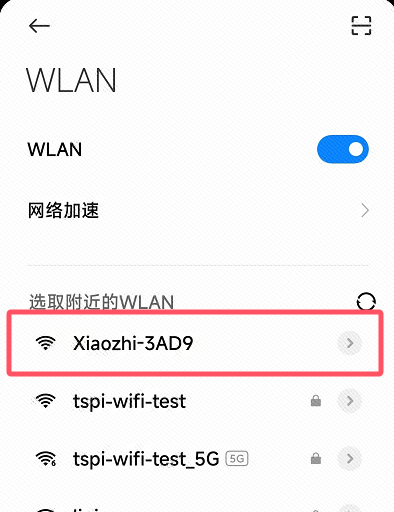
Follow the on-screen instructions, use your phone to search for a Wi-Fi network named: Xiaozhi-xxxx. This Wi-Fi is broadcast by the mPython Board and has no password.
Note
This web page does not require internet access. Some phones cannot open this URL through the browser. If the web page does not open, please turn off your phone’s mobile data, keep only Wi-Fi connected, and then open the URL.
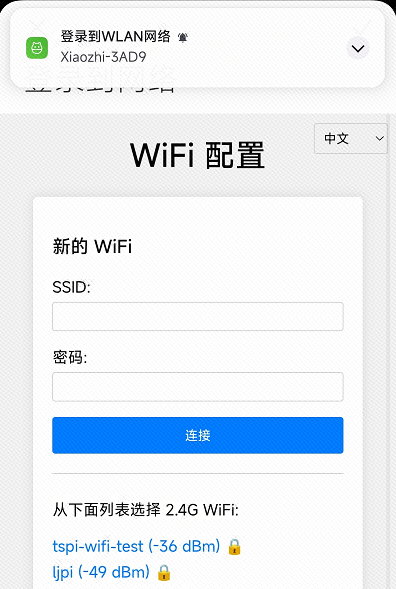
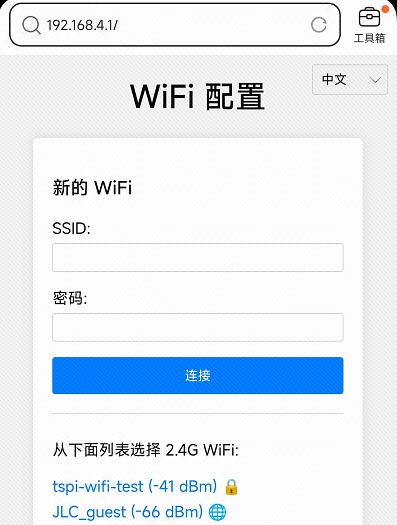
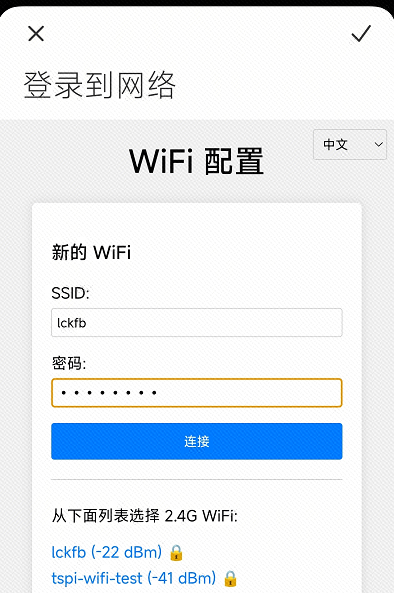
On this web page, enter the Wi-Fi network that the development board will connect to. Since the board needs network access to call AI large language model data, please ensure the Wi-Fi you configure has internet access.
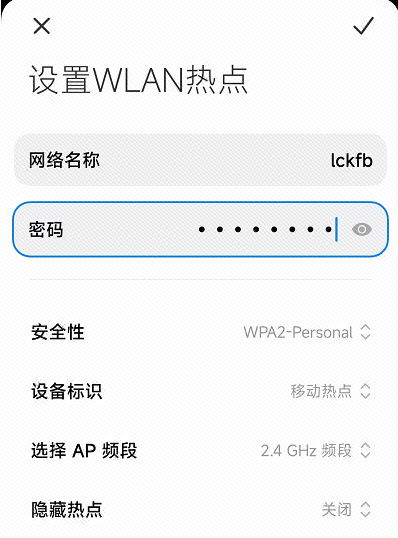
After completion, enter your hotspot name and password on the web page.
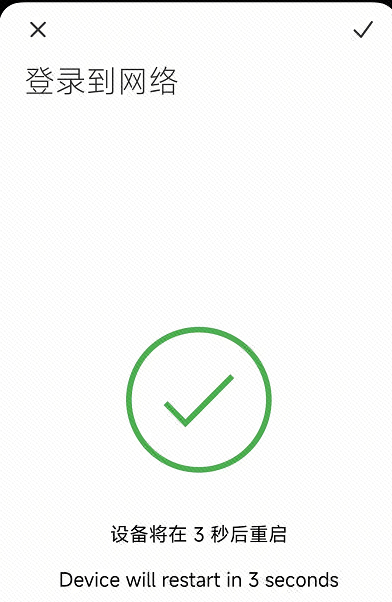
After successful connection, the web page will indicate that the device will restart. Wait for the restart to complete.
Note
The phone hotspot must be on the 2.4 GHz band, otherwise it cannot be found.
1.2 Device Activation
After Wi-Fi provisioning is complete, the development board will automatically connect to Wi-Fi and eventually stop at the device activation screen.
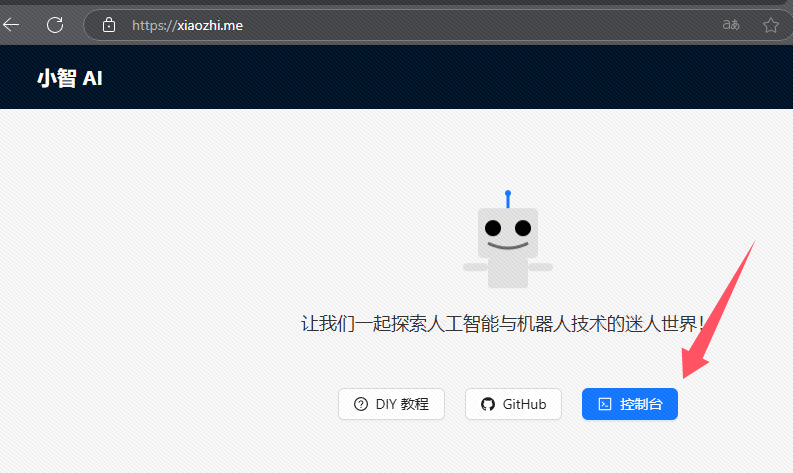
Open a browser and enter the URL: xiaozhi.me. You can open it on either a phone or computer. After entering the Xiaozhi AI website, click Console and log in with your phone number.
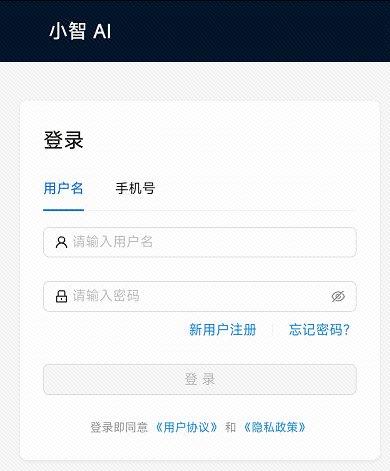
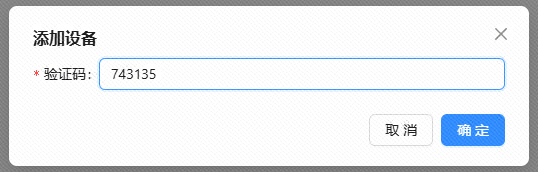
After logging in, on the new page, click Add Device. Enter the 6-digit device code displayed on the development board screen into the verification code field on the web page. The binding is then successful.
1.3 Waking Up Xiaozhi AI
After restarting, you can directly say “Hello, Xiaozhi” to the development board to test if it can have a normal conversation.
1.4 Xiaozhi Device Unbinding Tutorial
Unbind the device on the xiaozhi.me website.
What if the device has been bound by someone else and you cannot contact them? How to unbind?
This situation usually occurs when your development kit or chip module was previously bound to another account, and after return or recycling, the device was not unbound on the xiaozhi.me website. You can also unbind by sending an email. Send an email to xiaozhi.ai@tenclass.com. The email subject should be [Unbind Device, Device ID XXX, MAC Address XXX]