Labplus Knowledge Base

Product Documentation

  • mPython Board 3.0 Documentation
    • 1. Hardware
    • 2. Software Programming (MicroPython)
    • 3. Example Tutorials
    • 4. mPython Board 3.0 with Xiaozhi
      • Introduction
      • Flashing Tutorial
        • 1. Hardware Requirements
        • 2. Software Requirements
        • 3. Flashing Steps
      • Usage Tutorial
      • Features and Usage FAQ
    • 5. API Documentation
    • 6. mPython Board C/C++ Programming
    • 7. Technical Support
    • 8. Copyright Notice
  • mPython Core 2.0 Documentation
  • AI Camera 4.0 Documentation
  • mPython IoT Documentation
  • mPython Module Documentation

Knowledge Base

  • Labplus Knowledge Base

About

  • Product Selection Guide
Labplus Knowledge Base
  • mPython Board 3.0 Documentation
  • 4. mPython Board 3.0 with Xiaozhi
  • Flashing Tutorial
  • View page source

Flashing Tutorial

Table of Contents

  • 1. Hardware Requirements

  • 2. Software Requirements

  • 3. Flashing Steps

    • 3.1 Switch to mPython Board 3.0 in mPython Software
    • 3.2 Select Xiaozhi Firmware and Click Flash

1. Hardware Requirements

USB-C cable * 1 Windows PC * 1 (Windows 10/11 recommended)

2. Software Requirements

mPython 0.8.7 or later

3. Flashing Steps

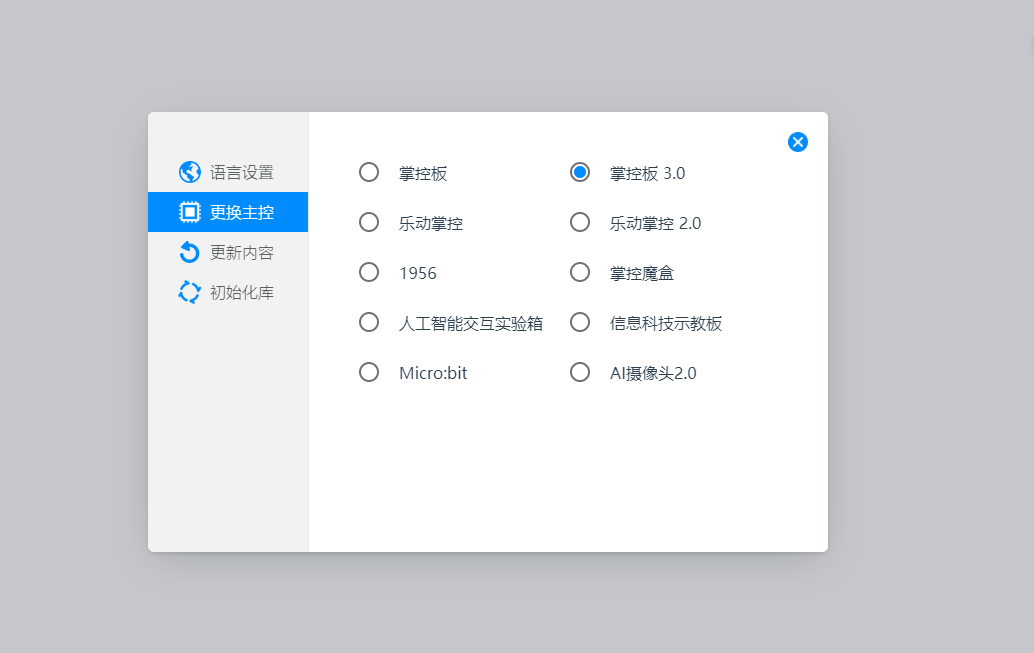
3.1 Switch to mPython Board 3.0 in mPython Software

../../../../_images/12.png

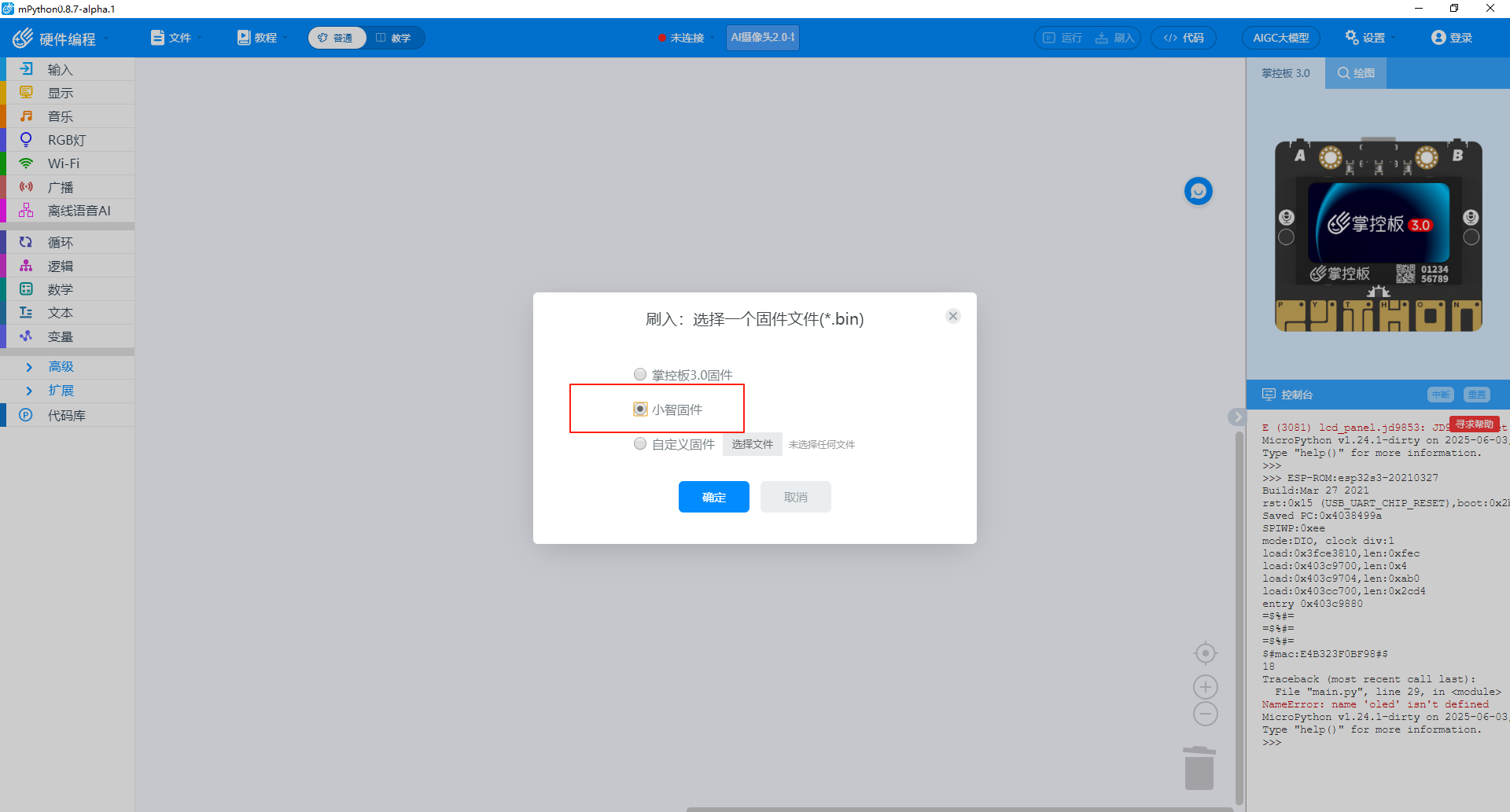
3.2 Select Xiaozhi Firmware and Click Flash

Wait for flashing to complete.

../../../../_images/23.png
Previous Next

© Copyright 2026, Labplus.

Built with Sphinx using a theme provided by Read the Docs.