Networking: Linking with mPython Core 2.0
This example demonstrates how to enable multi-node networking communication between mPython IoT and mPython Core 2.0 via the MQTT protocol: one node acts as a publisher reporting data, while the other acts as a subscriber receiving data and responding, enabling device-to-device interconnection.
Networking Architecture
Multi-node networking requires an MQTT broker as a message relay. All nodes connect to the same broker and communicate through agreed-upon topics:
mPython IoT (Node A): Acts as publisher, collecting sensor data and publishing to a topic
mPython Core 2.0 (Node B): Acts as subscriber, receiving data and controlling onboard devices
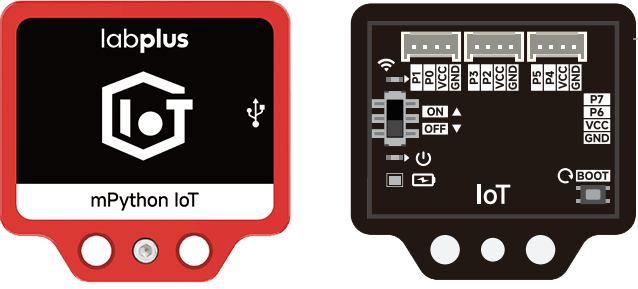
mPython IoT node
Note
For mPython Core 2.0 MQTT communication usage, see mPython Core 2.0 IoT Tutorial .
Node A: mPython IoT Publishing Data
mPython IoT collects data and publishes to the agreed topic classroom/data:
from umqtt.simple import MQTTClient
import network
import time

sta = network.WLAN(network.STA_IF)
sta.active(True)
sta.connect('your_ssid', 'your_password')
while not sta.isconnected():
    time.sleep(0.5)

SERVER = "192.168.1.100"
TOPIC = "classroom/data"

client = MQTTClient("mpython_iot_001", SERVER, 1883)
client.connect()

count = 0
while True:
    client.publish(TOPIC, "data:%d" % count)   # Publish data
    print("Published: data:%d" % count)
    count += 1
    time.sleep(3)
Node B: mPython Core 2.0 Subscribing to Data
mPython Core 2.0 subscribes to the same topic and lights up the onboard RGB LED or performs other actions upon receiving data. The following code runs on mPython Core 2.0:
from umqtt.simple import MQTTClient
from mpython import *

SERVER = "192.168.1.100"
TOPIC = "classroom/data"

mywifi = wifi()
mywifi.connectWiFi("your_ssid", "your_password")

def sub_cb(topic, msg):
    print((topic, msg))
    # Light up RGB LED upon receiving data
    rgb.fill((0, 20, 0))
    rgb.write()

client = MQTTClient("ledong_v2_001", SERVER, 1883)
client.connect()
client.set_callback(sub_cb)
client.subscribe(TOPIC)

while True:
    client.wait_msg()
Hint
The two nodes only need to connect to the same broker and use the same topic to communicate. The publisher and subscriber roles can be swapped, or both nodes can simultaneously publish and subscribe for bidirectional communication.
Multi-Node Expansion
Multiple mPython IoT and mPython Core 2.0 nodes can be added to the same network. To distinguish different devices, it is recommended to:
Assign a unique
CLIENT_IDto each nodeUse hierarchical topic naming, e.g.
classroom/node1/data,classroom/node2/dataUse wildcards to subscribe to multiple topics, e.g.
classroom/+/datasubscribes to data from all nodes