bluebit — blue:bit driver
The blue:bit module provides the mPython Board library for the bluebit kit.
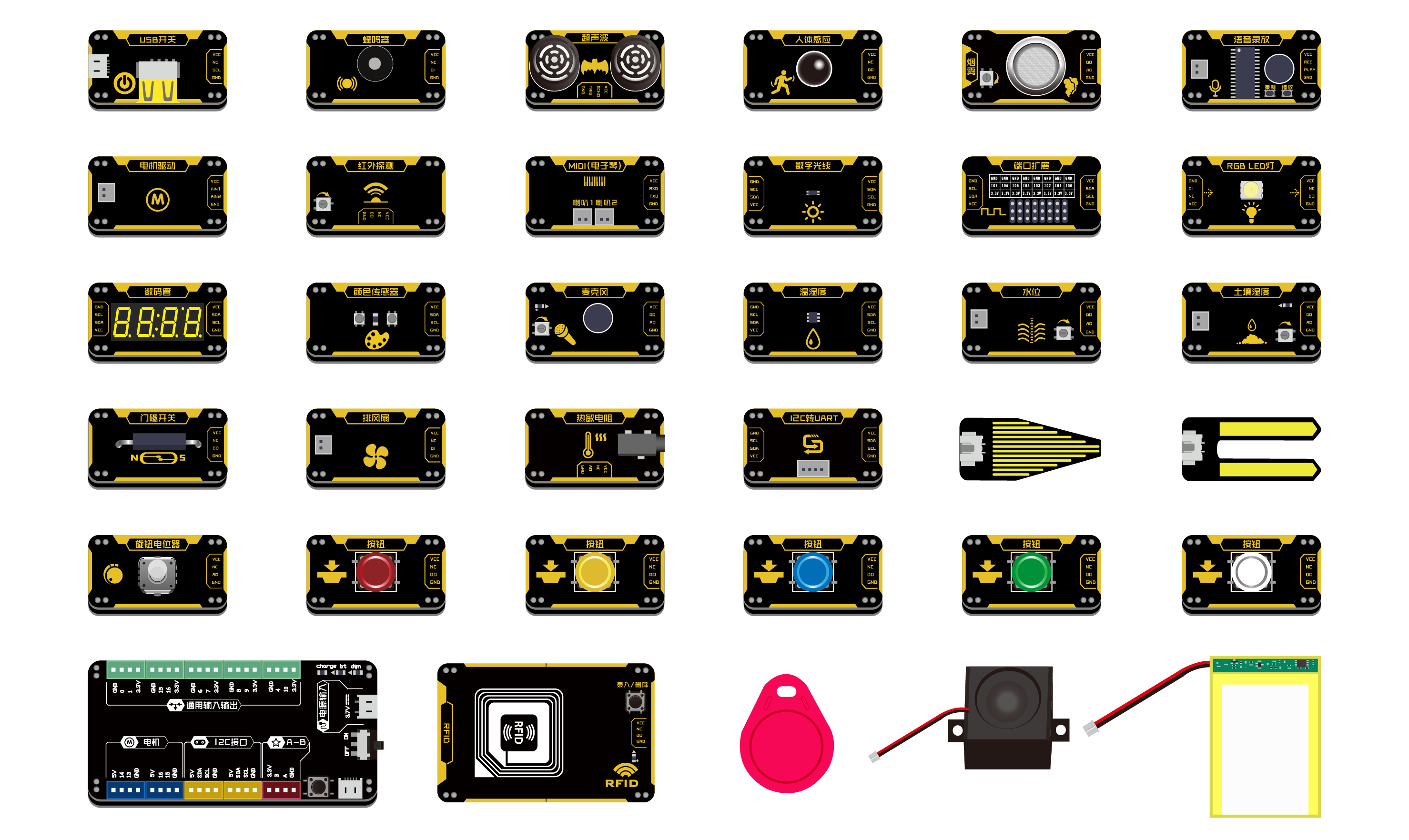
NTC Module
- class bluebit.Thermistor(pin, series_resistor=10000.0, nominal_resistance=10000.0, nominal_temperature=25.0, b_coefficient=3935.0, high_side=True)
NTC module. Also applicable to other thermistors.
- Parameters:
pin – mPython Board pin number, e.g. pin=0 for P0.
series_resistor – Value of the series resistor connected to the thermistor. Default is 10K.
nominal_resistance – Resistance of the thermistor at the nominal temperature.
nominal_temperature – Temperature of the thermistor at the nominal resistance (in degrees Celsius). Default is 25.0 degrees Celsius.
b_coefficient – B coefficient of the thermistor.
high_side – Indicates whether the thermistor is connected to the high side or low side of the voltage divider. Default high_side is True.
- getTemper()
Get temperature. Returns None if reading fails.
- Returns:
Temperature in degrees Celsius
- bluebit.NTC
alias of
Thermistor
LM35 Module
Temperature and Humidity Module
Color Module
Digital Light Module
Ultrasonic Module
4-digit 7-segment Display Module
8x8 Matrix Module
- class bluebit.Matrix(i2c=i2c)
8x8 matrix module control class
i2c: The I2C instance object, default i2c=i2c.
- Matrix.blink_rate(rate=None)
Set the pixel blink rate
rate: The blink interval, in seconds. Default None, always on.
- Matrix.brightness(brightness)
Set the pixel brightness
brightness: The brightness level, range 0~15.
- Matrix.fill(color)
Fill all
color: 1 on; 0 off
- Matrix.bitmap(bitmap)
Display a bitmap
bitmap: The 8x8 matrix data
- Matrix.show()
Apply the display
In addition to the above functions and methods, it also inherits the FrameBuffer class. For other methods, such as displaying characters and drawing functions, see the FrameBuffer class of the micropython framebuf module.
LCD1602 Module
- class bluebit.LCD1602(i2c=machine.I2C)
LCD1602 module control class
- Parameters:
i2c – I2C instance object, default i2c=i2c.
- LEFT_TO_RIGHT = 0
Text direction constant - left to right
- RIGHT_TO_LEFT = 1
Text direction constant - right to left
- Init()
LCD1602 initialization function
- Clear()
Clear screen
- setCursor(col, row)
Set cursor position
- Parameters:
col – Column, 1~16
row – Row, 1~2
- move_left()
Scroll display left
- move_right()
Scroll display right
- property text_direction
Text direction
- createChar(location, charmap=[])
Create user-defined character Fill one of the first 8 CGRAM locations with custom characters. The location parameter should be between 0 and 7 and pattern should provide an array of 8 bytes containing the pattern. E.g. you can easily design your custom character at http://www.quinapalus.com/hd44780udg.html To show your custom character use
- Parameters:
location – integer in range(8) to store the created character
pattern (~bytes) – len(8) describes created character
- Home()
Return cursor to home position
MIDI Module
MP3 Module
- class bluebit.MP3(tx=-1, rx=-1, uart_num=1)
MP3 module control class
- Parameters:
i2c – I2C instance object, default i2c=i2c.
- play()
Play, used to resume after pause
- playDir(dir, songNo)
Play specified song in specified folder
- playNext()
Play next song
- playPrev()
Play previous song
- pause()
Pause playback
- stop()
Stop playback
- volumeInc()
Increase volume
- volumeDec()
Decrease volume
- property volume
Set or return volume setting, range 0~30
- resetDevice()
Reset MP3
OLED Module
- class bluebit.OLEDBit(*args: Any, **kwargs: Any)
bluebit OLED module class
- Parameters:
rx,tx – Receive, transmit pins
- font_5x7 = 0
Font constant - 5x7 English font
- font_song16 = 1
Font constant - 16x16 Song typeface
- font_song24 = 2
Font constant - 24x24 Song typeface
- font_consol32 = 3
Font constant - 32x32 Consolas
- Print(str, x, y, font=micropython.const)
Display Chinese and English strings, supports fonts ‘0’ = Font5x7, ‘1’ = Song 16x16, ‘2’ = Song 24x24, ‘3’ = Consolas 32x32
- Parameters:
str (str) – Chinese and English string
y (int x) – Display coordinates
font – Font type,
font_5x7,font_song24,font_consol32;
- clear(x0=0, y0=0, x1=127, y1=63)
Clear, default full screen clear, can also clear partial area
- Parameters:
y0 (int x0) – Top-left coordinate of the area to clear
y1 (int x1) – Bottom-right coordinate of the area to clear
- show()
Apply display update. Use show() to refresh the screen after using framebuf class methods.
- Bitmap(x, y, bitmap, w, h, c)
Display bitmap
- Parameters:
y (int x) – Starting coordinates
bitmap – Bitmap 1-bit data
w,h – Bitmap width and height
c – Color, 1 or 0
IR Receiver Module
IR Transmitter Module
Exploration Category
Applicable modules include voltage, current, magnetic field, conductivity, PH, photogate, barometric pressure, and force sensors.
- class bluebit.DelveBit(address, i2c=machine.I2C)
Exploration blue:bit for experiments, applicable modules include voltage, current, magnetic field, conductivity, PH, photogate, barometric pressure, force sensor
- Parameters:
address – I2C address of the module, can select different addresses via module DIP switch to avoid conflicts.
i2c – I2C instance object, default i2c=i2c
- common_measure()
Generic function to get measurement values from exploration sensors
- Return int:
Returns sensor measurement value, units: voltage (V), current (A), magnetic field (mT), conductivity (uS/cm), PH (pH), photogate (s), barometric pressure (kPa), force sensor (N)
- photo_gate()
Photogate Timer is used to record the trigger start time and trigger end time. It calculates the positive pulse width time of the signal. When the input signal changes from low to high, it is the trigger start point; when it changes from high to low, it is the trigger end point. The time difference between them is calculated.
- Return int:
Returns positive pulse width time in seconds
Encoder Motor Module
- class bluebit.EncoderMotor(address, i2c=machine.I2C)
blue:bit encoder motor driver, provides three drive modes: pwm, cruise, position.
- Parameters:
address – I2C address of the module, can select different addresses via module DIP switch to avoid conflicts.
i2c – I2C instance object, default i2c=i2c
- PWM_MODE = b'\x05'
PWM mode
- CRUISE_MODE = b'\n'
Cruise mode
- POSITION_MODE = b'\x0f'
Position mode
- motor_stop()
Stop encoder motor rotation
- set_pwm(speed1, speed2)
PWM mode
- Parameters:
speed1 – Set M1 channel encoder motor speed, range -1023~1023
speed2 – Set M2 channel encoder motor speed, range -1023~1023
- set_cruise(speed1, speed2)
Cruise mode. After setting the speed, when the encoder motor is blocked, it will automatically adjust torque based on feedback to maintain a constant speed.
- Parameters:
speed1 – Set M1 channel encoder motor speed, range -1023~1023
speed2 – Set M2 channel encoder motor speed, range -1023~1023
- set_position(turn1, turn2)
Position mode, can set encoder motor fixed position, range -1023~1023.
- Parameters:
turn1 – Set M1 channel encoder motor position, -1023~1023
turn2 – Set M2 channel encoder motor position, -1023~1023
RFID Module
- class bluebit.Scan_Rfid
Scan RFID card class.
- classmethod scanning(i2c=machine.I2C)
Scan RFID card and return an Rfid object
- Parameters:
i2c (obj) – I2C instance object
- Returns:
Returns an Rfid object
- class bluebit.Rfid(i2c, serial_number)
Rfid class, provides read/write block and electronic purse operations.
- Parameters:
i2c – I2C instance object
serial_number – RFID card serial number
- serial_number()
Get serial number
- auth(block_number=1)
- read_block(block_number=1)
Read block data, length 16 bytes
- Parameters:
block_number – Block number
- write_block(buf, block_number=1)
Write block data, length 16 bytes
- set_purse(block_number=1)
Set electronic purse, default uses block 1.
- Parameters:
block_number (int) – Block number
- get_balance()
Get electronic purse balance. Before using this function, you must set the data block with
set_purse().- Returns:
Balance